Nested Technology
The following example shows how to create nested technology and layer maps from the nested library to the parent library.
# Copyright Keysight Technologies 2025


"""Example nested technology using the Python API."""


from keysight.ads import de


def map_nested_technology(workspace: de.Workspace) -> None:
    """Create nested technology and map layers.

    Creates RF_Board_lib and maps layers from the nested technology library smt_lib.
    """
    # create the smt_lib with technology using millimeter units
    smt_lib = create_smt_lib(workspace)
    # create the RF_Board_lib with technology using mil units and using smt_lib as nested technology
    board_lib = create_rf_board_lib(workspace, smt_lib)
    # Different ways to look up the same layer map
    layer_map1 = board_lib.tech.layer_maps[0]
    layer_map2 = board_lib.tech.layer_maps.find("smt_top")
    layer_map = de.tech.nested.find_layer_map("RF_Board_lib", "smt_top")
    assert layer_map is not None
    assert layer_map == layer_map1
    assert layer_map == layer_map2
    assert layer_map.name == "smt_top"
    assert layer_map.nested_library_name == "smt_lib"
    # The parent library is the layer_map_library
    assert layer_map.layer_map_library_name == "RF_Board_lib"
    assert layer_map.nested_mapped_layers[0] == "cond"
    # Mapped layers default to {layer_map_name}_{nested_lib_name}_{nested_layer_name}
    assert layer_map.parent_mapped_layers[0] == "smt_top_smt_lib_cond"

    # find_layer_map returns None if the named layer map is not found
    bottom_layer_map = de.tech.nested.find_layer_map("RF_Board_lib", "smt_bottom")
    if bottom_layer_map is None:
        new_layer_map = de.tech.nested.LayerMap("smt_bottom", "smt_lib", "RF_Board_lib")
        new_layer_map.is_above = False
        new_layer_map.is_flipped = True
        new_layer_map.map_nested_layer("cond")
        # new_layer_map.nested_mapped_layers.append("cond")
        # new_layer_map.parent_mapped_layers = ["smt_bottom_smt_lib_cond"]
        board_lib.tech.layer_maps.append(new_layer_map)
        board_lib.tech.save_layer_maps()
    layer_map.unmap_nested_layer("ports")


def create_smt_lib(workspace: de.Workspace) -> de.Library:
    # Create a "smt_lib" library with tech using millimeters
    smt_lib = de.create_new_library("smt_lib", workspace.path / "smt_lib")
    workspace.add_library(smt_lib.name, smt_lib.path, de.LibraryMode.SHARED)
    smt_lib.setup_schematic_tech()
    smt_lib.create_layout_tech_std_ads("millimeter", 1000)
    return smt_lib


def create_rf_board_lib(workspace: de.Workspace, smt_lib: de.Library) -> de.Library:
    # Create a "RF_Board_lib" library with tech using mils
    rf_lib = de.create_new_library("RF_Board_lib", workspace.path / "RF_Board_lib")
    workspace.add_library(rf_lib.name, rf_lib.path, de.LibraryMode.SHARED)
    rf_lib.setup_schematic_tech()
    rf_lib.create_layout_tech_std_ads("mil", 1000)

    # Create a layer map between "RF_Board_lib" and "smt_lib" for the "cond" and "ports" layers
    layer_map = de.tech.nested.LayerMap("smt_top", smt_lib, rf_lib)
    layer_map.map_nested_layer("cond")
    layer_map.map_nested_layer("ports")
    rf_lib.tech.layer_maps.append(layer_map)
    return rf_lib
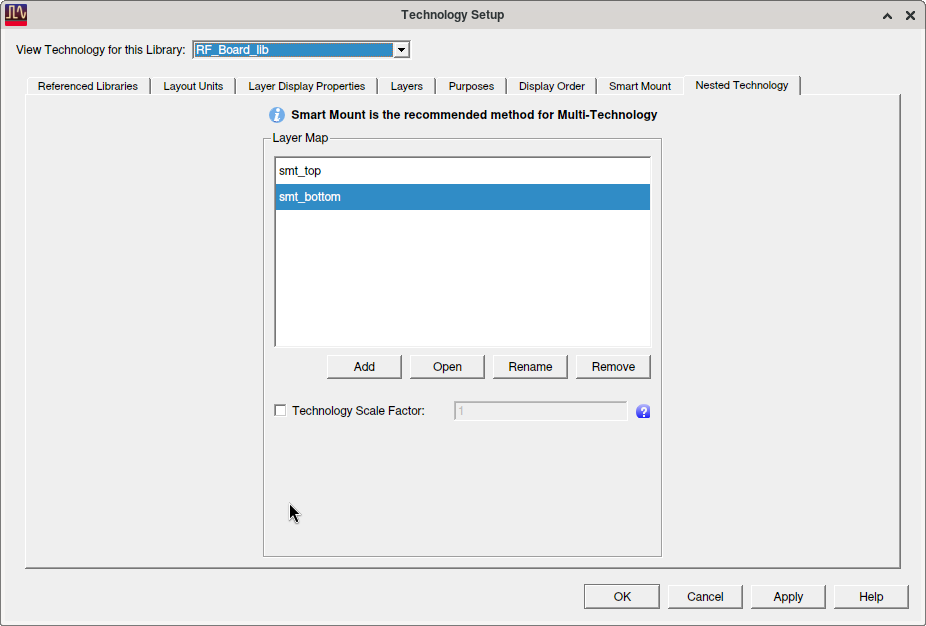
The following image shows the nested technology settings for the RF_Board_lib library created in the example above.
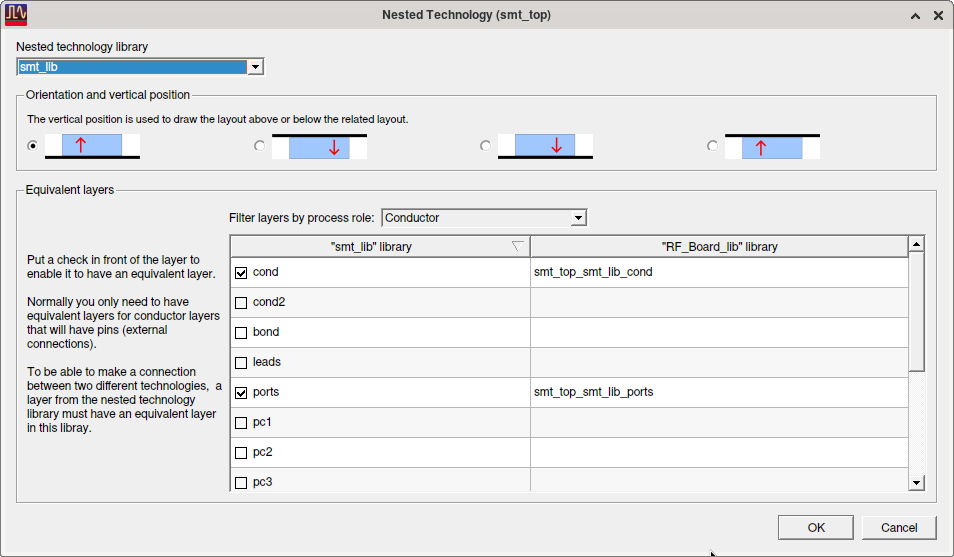
The following image shows the layer mapping created for layers between RF_Board_lib and smt_lib in the smt_top layer map from the previous example. Note that the default orientation and positioning is above pointing up.
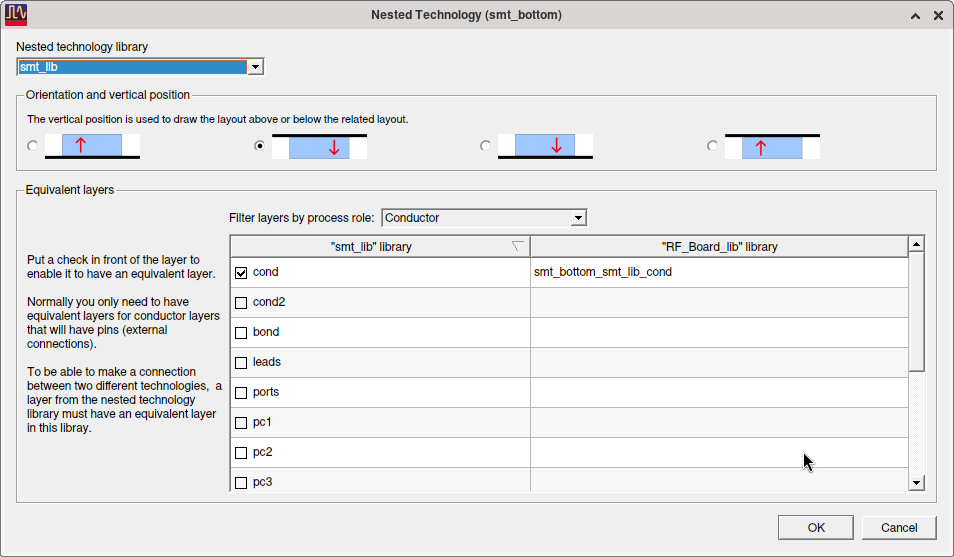
The following image shows the layer mapping created for layers between RF_Board_lib and smt_lib in the smt_bottom layer map from the previous example.
Note that the orientation and positioning is below pointing down as set in the example using the is_above and is_flipped properties.